 Princeton IT Services
Resources / Blogs
Low-code no-code development: build applications faster
Build applications faster with Low-Code No-Code development. Automate workflows, integrate systems, and accelerate digital transformation.
Application Development • Digital Transformation
Simplify application development, streamline workflows, and bring digital solutions to life with visual development approaches.
Low-Code Flexible Development No-Code Visual Building
Overview
In today’s fast-paced digital environment, businesses need to develop and launch applications quickly without compromising quality. Traditional software development can require extensive coding, specialized technical expertise, and significant development time. Low-Code No-Code (LCNC) development offers a modern approach by making application development more visual, flexible, and accessible.
At Princeton IT Services, we use Low-Code No-Code development approaches to help businesses accelerate application development, automate workflows, and bring digital solutions to life faster.
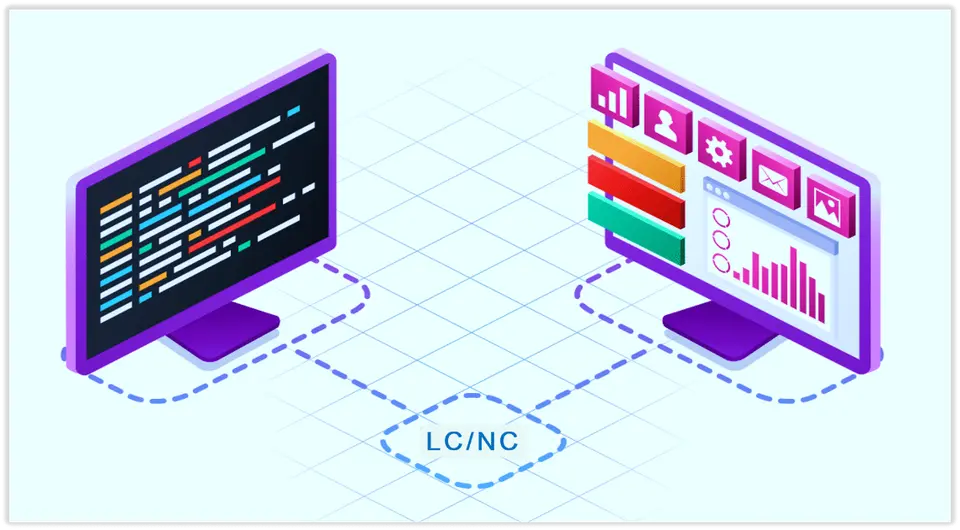
The Visual Development Approach Low-Code No-Code development uses visual interfaces, reusable components, workflow tools, and integrations to simplify application creation and help teams focus on business requirements and functionality.
What Is Low-Code No-Code Development?
Low-Code No-Code development is a visual approach to building web and mobile applications with minimal or no traditional programming.
Instead of writing every line of code manually, developers and business users can use visual interfaces, drag-and-drop components, pre-built modules, workflow automation tools, and third-party integrations to create applications.
This approach can simplify application development while allowing teams to focus on business requirements, user experience, and application functionality.
How Does Low-Code No-Code Development Work?
Traditional application development involves writing, testing, debugging, deploying, and maintaining source code. While traditional coding remains essential for complex applications, many business requirements can be developed more efficiently using Low-Code No-Code platforms.
Visual development environments allow users to:
- ✓Build application interfaces using drag-and-drop components
- ✓Configure workflows visually
- ✓Connect applications with APIs and third-party services
- ✓Create forms, dashboards, and business processes
- ✓Develop prototypes and proof-of-concepts
- ✓Test application functionality
- ✓Make changes without rewriting large amounts of code
This visual development approach can also improve collaboration between technical teams and business stakeholders.
Low-Code vs. No-Code: What’s the Difference?
Although the terms are often used together, Low-Code and No-Code development have some important differences.
Approach 01
Low-Code Development
Uses visual development tools while allowing professional developers to add custom code when required. It is useful for applications that need customized functionality, advanced business logic, APIs, or complex integrations.
Approach 02
No-Code Development
Is designed primarily for users with little or no programming experience. Applications can be created using visual interfaces, configuration tools, templates, and pre-built workflows.
Choosing the Right Development Approach Both approaches can help organizations reduce development effort and accelerate application delivery. The right option depends on the application’s functionality, customization requirements, integrations, and long-term goals.
Why Businesses Are Adopting Low-Code No-Code
The demand for faster digital transformation has made application development speed increasingly important. Businesses need solutions for internal processes, customer interactions, reporting, automation, and daily operations.
Low-Code No-Code development can provide several benefits.
01. Faster Development Reduce repetitive coding and develop applications and prototypes more quickly. 02. Better Collaboration Bring developers, designers, analysts, and business stakeholders closer together. 03. Easier Prototyping Validate workflows, interfaces, and requirements before completing the full application. 04. Flexible Changes Make certain application and workflow changes without rebuilding the entire solution. 05. Simplified Development Use pre-built components, templates, integrations, and visual workflows for common tasks.
Low-Code No-Code for Digital Transformation
Digital transformation is about improving how a business operates, serves customers, and manages information. Low-Code No-Code development can support these initiatives by helping organizations build solutions for:
- ✓Business process automation
- ✓Workflow management
- ✓Customer portals
- ✓Employee applications
- ✓Data collection
- ✓Reporting dashboards
- ✓Approval systems
- ✓Internal productivity tools
- ✓Customer relationship processes
- ✓Application integrations
By using visual development methods, organizations can experiment with new digital solutions and adapt them as business requirements evolve.
How Princeton IT Services Can Help
At Princeton IT Services, we understand that every business has different technology requirements. Our Low-Code No-Code development services focus on understanding the business problem first and then selecting an appropriate development strategy.
Our team can help with:
- ✓Business and technical requirements
- ✓Application workflow design
- ✓Visual application development
- ✓Business process automation
- ✓Third-party and API integrations
- ✓Prototypes and proof-of-concepts
- ✓Application testing
- ✓Application deployment
- ✓Ongoing application improvements
Business-Focused Application Development We combine visual development methodologies with software development experience to help businesses create practical and scalable digital solutions.
From Idea to Application
One of the key benefits of Low-Code No-Code development is the ability to move through the development process efficiently.
A typical project can progress through the following stages:
Idea→Prototype→Development→Testing→Deployment→Improvement
Instead of building every component from the ground up, teams can use reusable visual components, templates, and integrations where appropriate.
This allows businesses to focus more on what the application needs to accomplish.
Is Low-Code No-Code Right for Your Business?
Low-Code No-Code development can be a valuable option for businesses looking to accelerate application development, automate processes, and support digital transformation. However, it is not necessarily a replacement for traditional software development.
Complex applications may still require professional developers, custom programming, advanced integrations, or specialized architecture.
Evaluation Area | What to Consider |
|---|---|
Application requirements | Required features, workflows, and business logic |
Security | Access controls, data protection, and security requirements |
Scalability | Expected usage, performance, and future growth |
Integrations | Connections to APIs, databases, and business systems |
Long-term objectives | Maintenance, customization, and future development needs |
The right approach depends on the application’s requirements, security needs, scalability, integrations, and long-term objectives.
Working with an experienced Low-Code No-Code development company can help businesses determine where visual development makes sense and where traditional development may be more appropriate.
Build Faster with Princeton IT Services
Low-Code No-Code development is changing how organizations approach application development and business process automation. By combining visual development tools, automation, integrations, and professional technical expertise, businesses can develop and improve applications more efficiently.
At Princeton IT Services, we help businesses explore practical technology solutions that support their operational and digital transformation goals.
Whether you are looking to build a new application, automate an existing process, create a prototype, integrate business systems, or improve development turnaround time, our team can help you evaluate the right approach.
Ready to Explore Low-Code No-Code Development?
Contact Princeton IT Services to discuss your application development requirements and explore how visual development, workflow automation, and integrations can support your business goals.

 Automated, tested migration
